Facility Admin Guide
Facility Admins manage users, test services, and turnaround times (TAT) within an individual laboratory or health facility. See User Roles for more information.
07. Facility Admin: roles
Role & Purpose
Who: Facility Admin
Purpose: What the Facility Admin is responsible for.
Roles of a Facility Admin
- Creation of Facility Users
- Addition of Test Services
- Turn-around Time (TAT) management.
- Machine Settings*
- QC Configurations*
- Facility document upload
- Reference range setting
08. How to create facility users
Role & Purpose
Who: Facility Admin
Purpose: Create accounts for the facility’s staff and give them roles.
- To create other facility users
- Click on Create Users
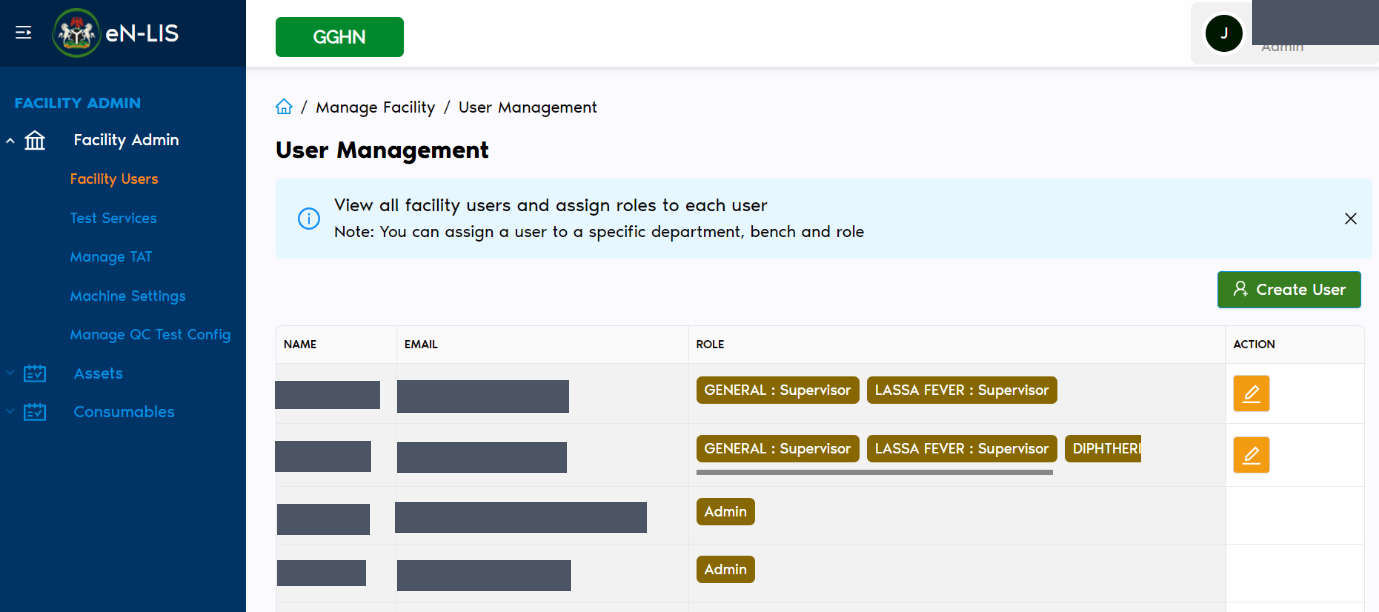 Figure 17
- Enter the user’s details
- Click on Edit icon to change details of a created user
Important
A User email can be used to create one account only
- Click on Submit
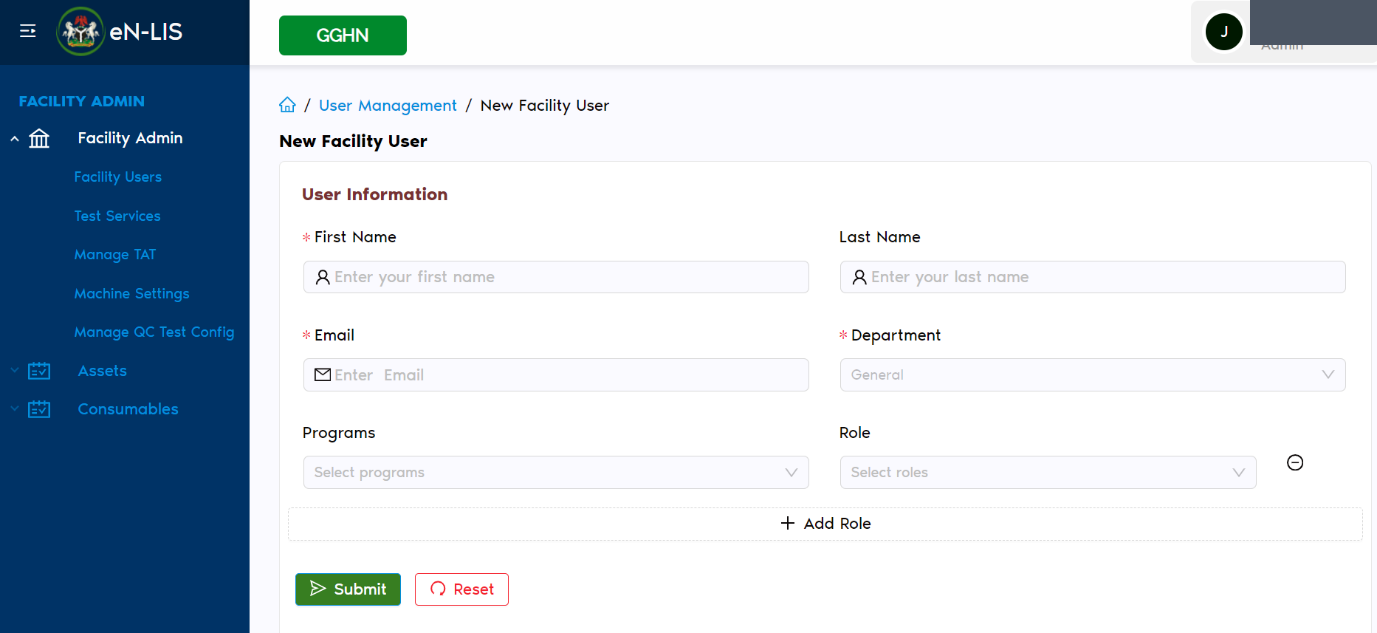 Figure 18
09. How to add test services
Role & Purpose
Who: Facility Admin
Purpose: Choose which tests the facility offers in each program.
- Click on Test Services under Facility Admin
- Click on Add new test result configuration
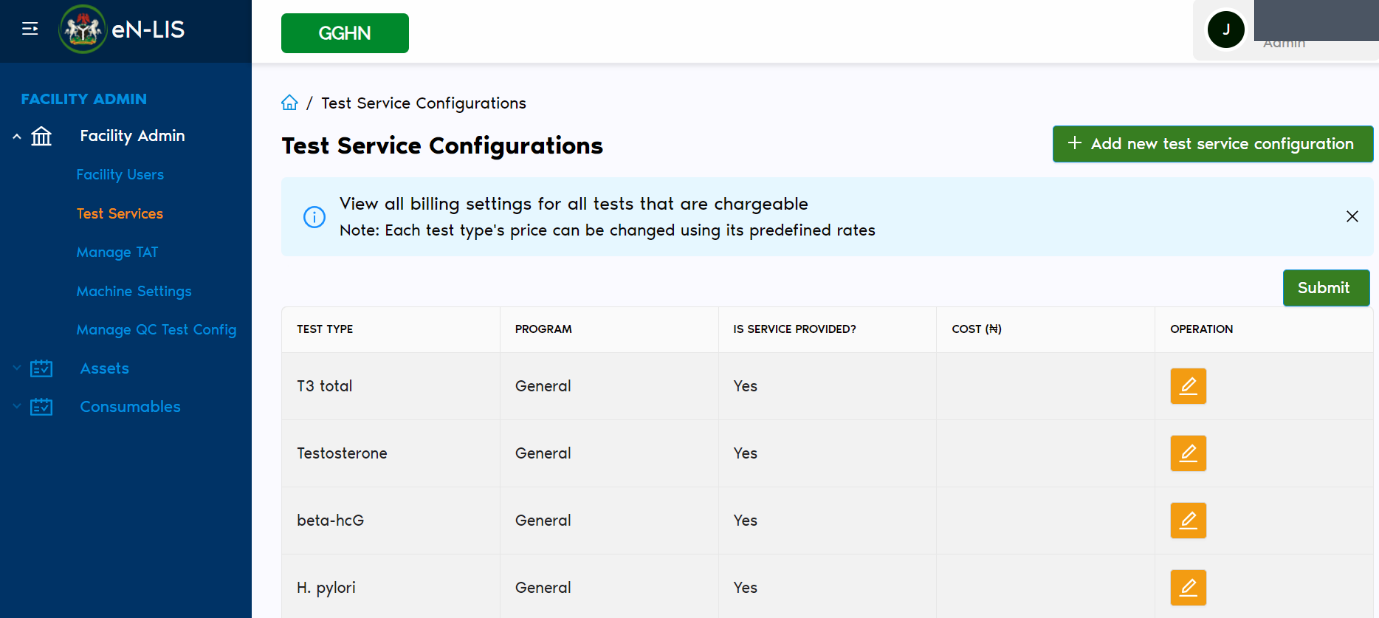 Figure 19
- Select program
- Select test type as it applies
- Click on Submit
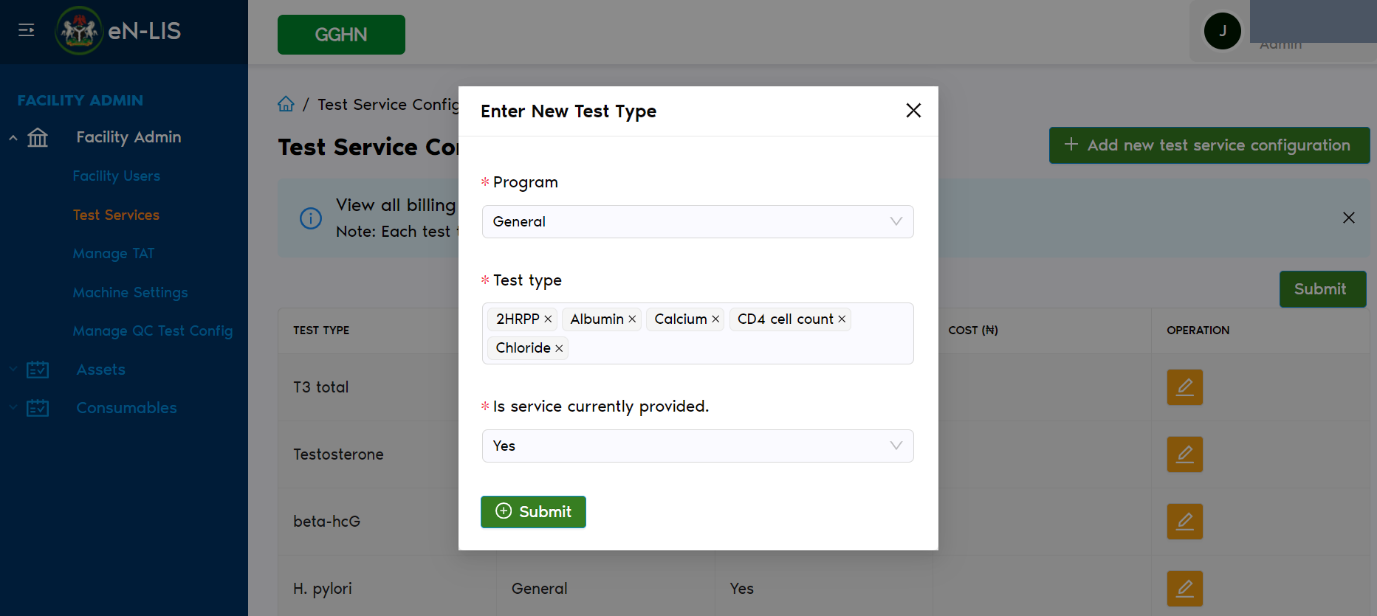 Figure 20
- Click on Edit icon (yellow) to make changes
- Click on Cancel icon (red) to discard changes
- Click on Submit and Save icon to effect changes
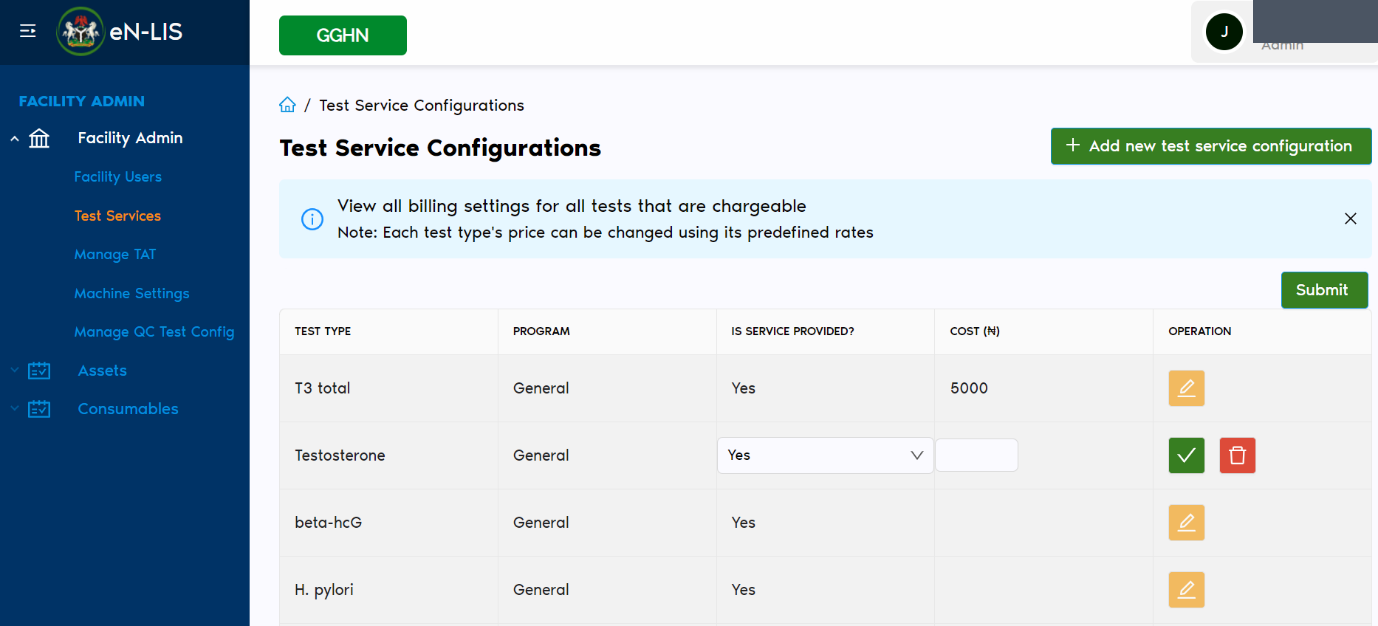 Figure 21
10. How to manage turnaround time (TAT)
Role & Purpose
Who: Facility Admin
Purpose: Set the expected turnaround time for each test service.
- This manages the TAT of the test services
- Click on Edit icon (yellow)
- Input TAT in days, hours or minutes as it applies
- Click on Submit and Save icon to effect changes
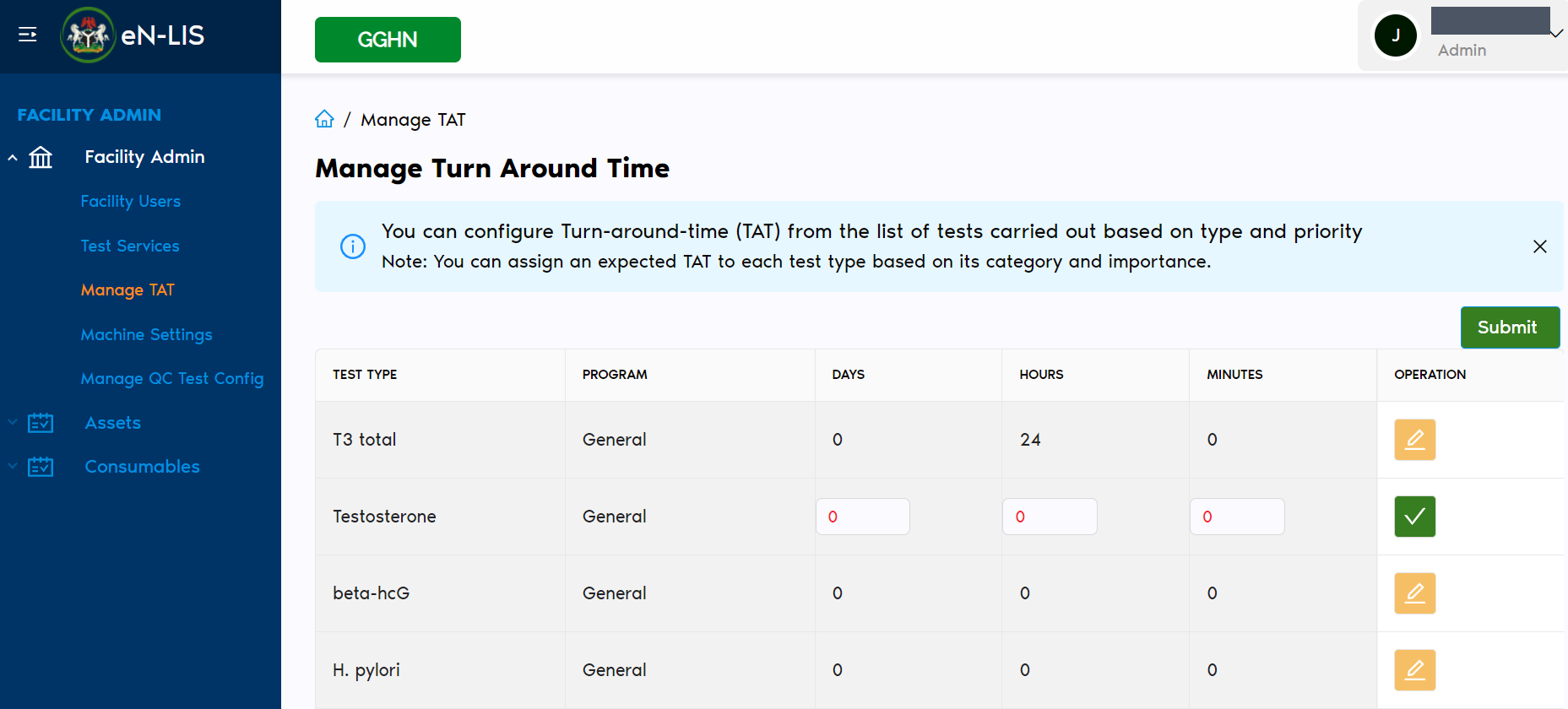 Figure 22