Reports & Analytics
eN-LIS enables Supervisors and Managers to generate facility-level and test-type reports filtered by date range and test status, and export them to Excel.
18. How to generate reports
Role & Purpose
Who: Supervisor / Manager
Purpose: Produce facility and test-type reports and export them to Excel.
Facility Report
- Specify date range of report
- Select a test status to generate specific report or no status to generate all report
- Click on Submit
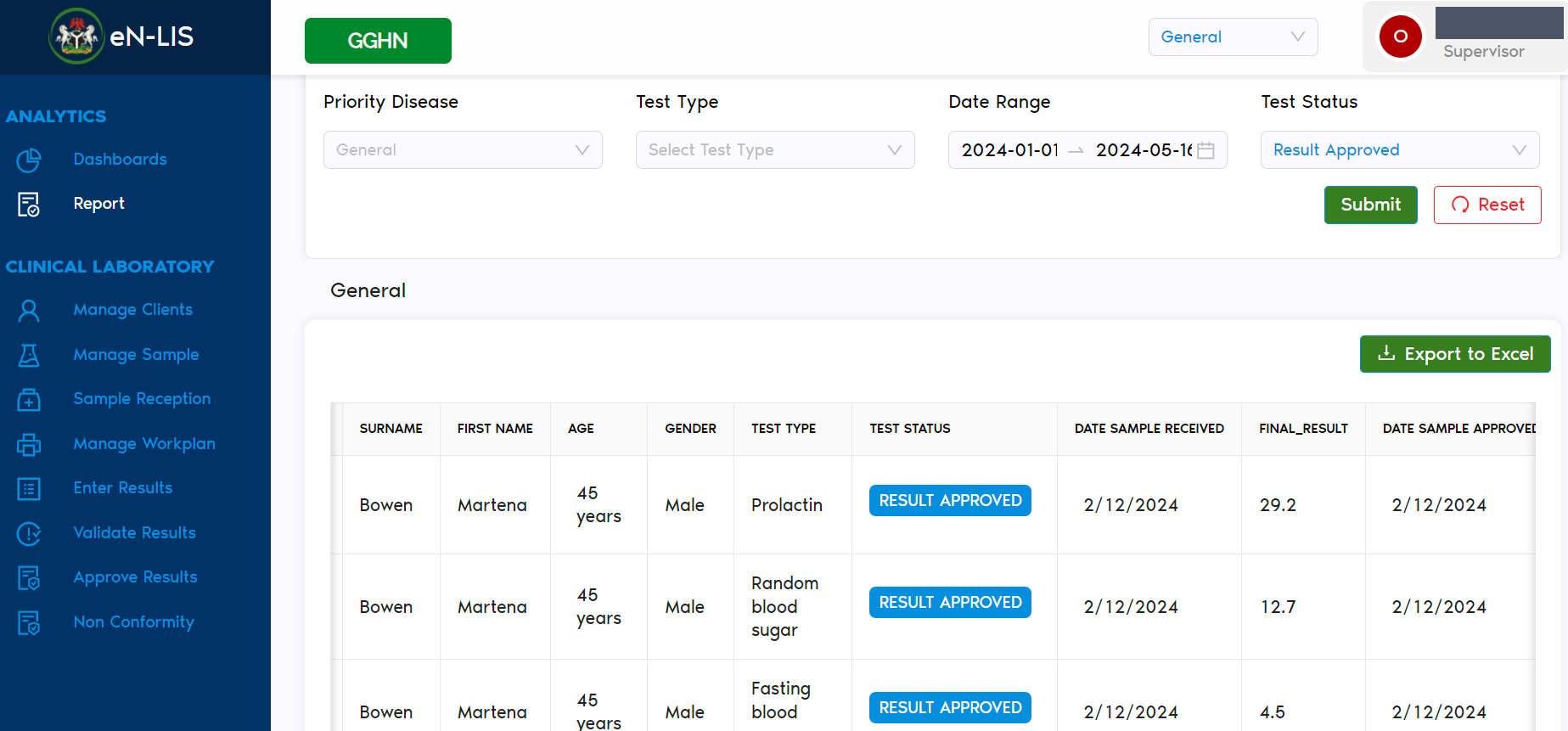 Figure 47
Test Type Report
- Select the test type
- Specify the date range of report
- Select a test status to generate specific report or no status to generate all report
- Click on Submit
- Report can be exported to excel
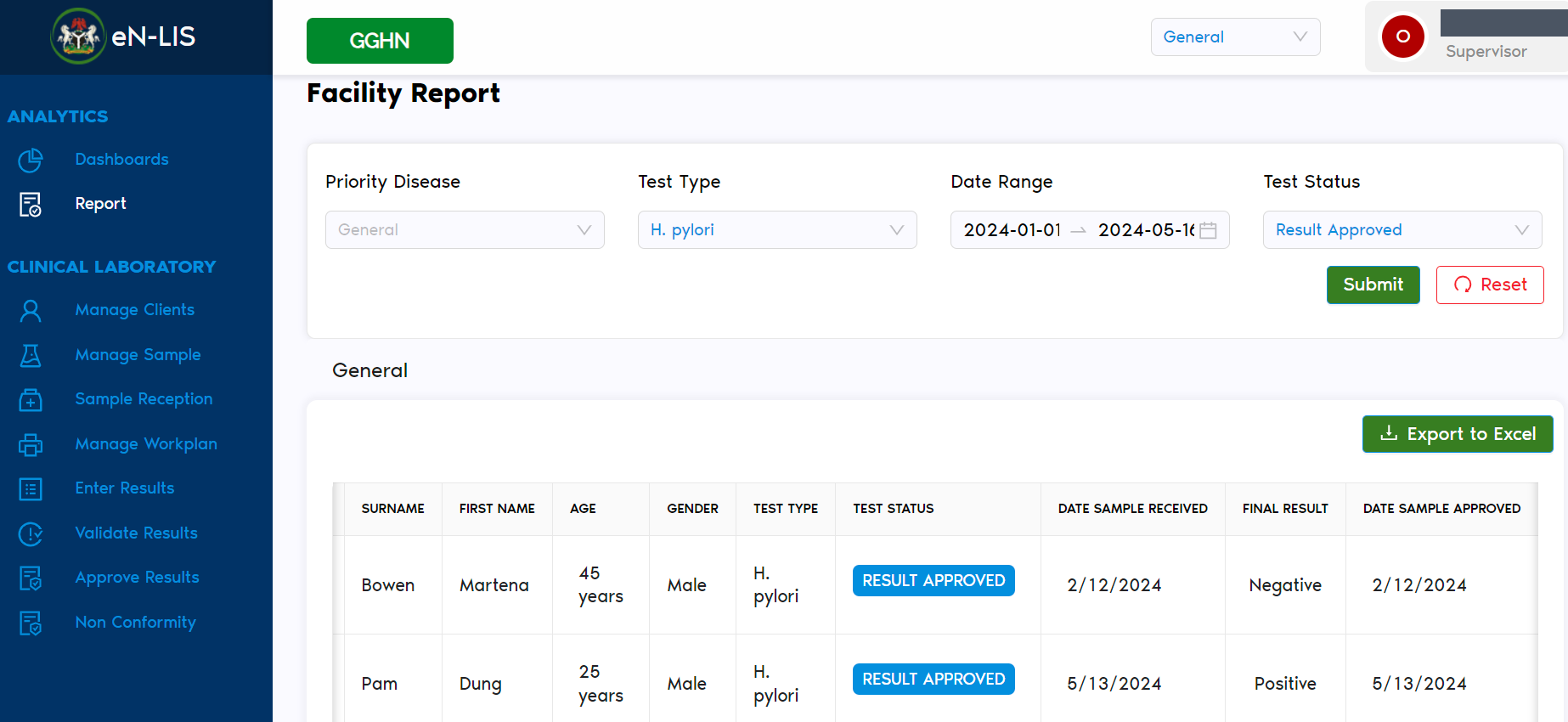 Figure 48