Facility User Guide
Facility Users (Receptionists, Data Clerks, Analysts, Supervisors, and Managers) perform daily laboratory operations in eN-LIS.
For sample registration, barcoding, workplans, result entry, validation, and approval, see Lab Processes.
19. How to manage clients
Role & Purpose
Who: Receptionist / Data clerk
Purpose: Find, add and view clients (patients).
- Search if client exist with an identifier
- Add client details if client does not exist
- If client exists, click on Add Sample icon for test requisition and View Details icon to preview
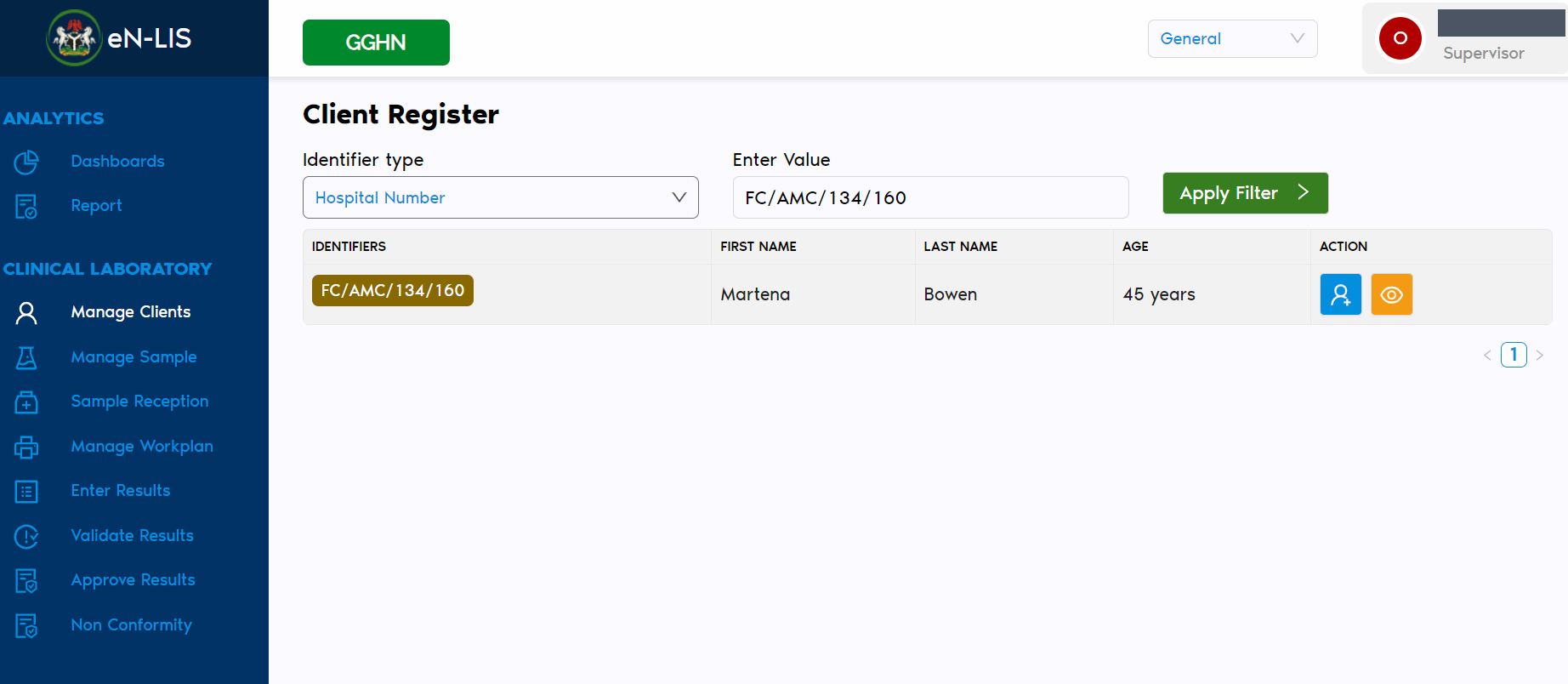 Figure 49
20. How to print a patient result
Role & Purpose
Who: Supervisor / Receptionist
Purpose: Print a client’s result report and view their sample history.
- View a client’s details
- Select test type
- Click on Print Patient Report
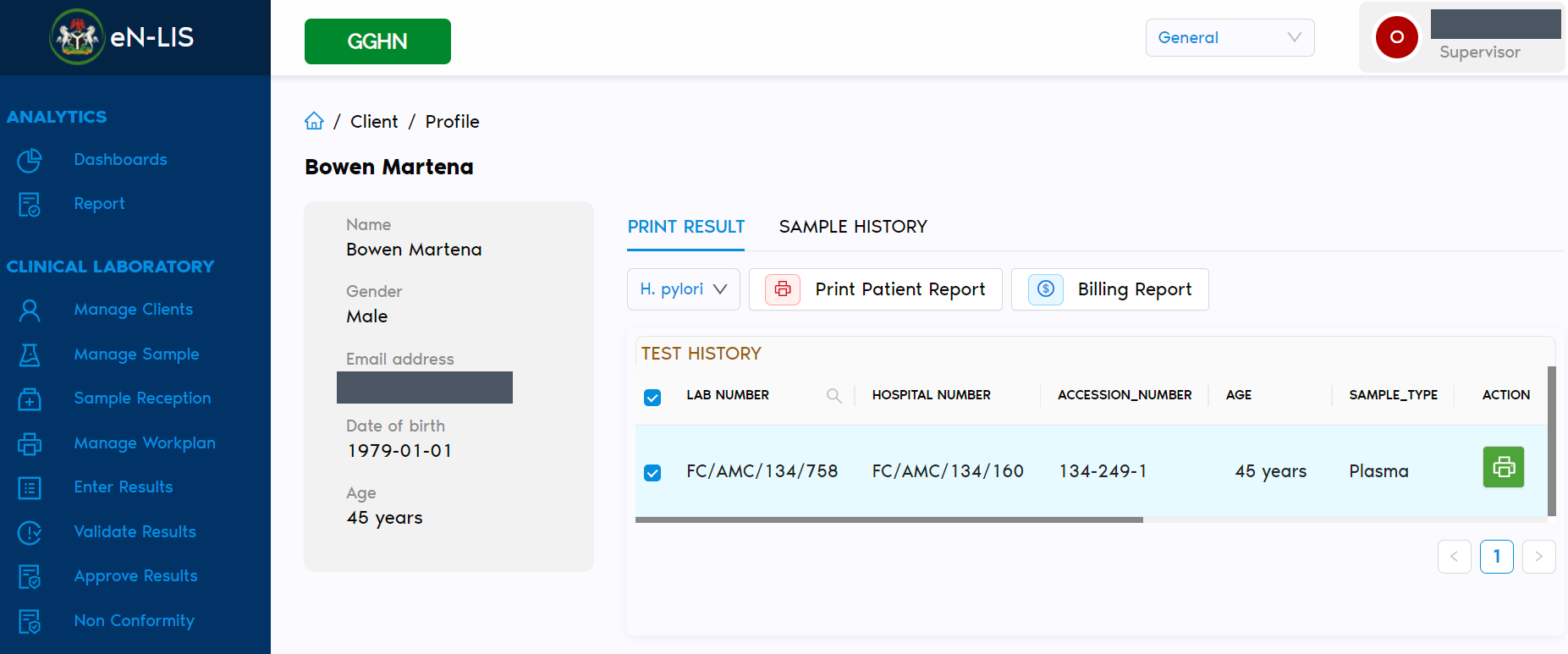 Figure 50
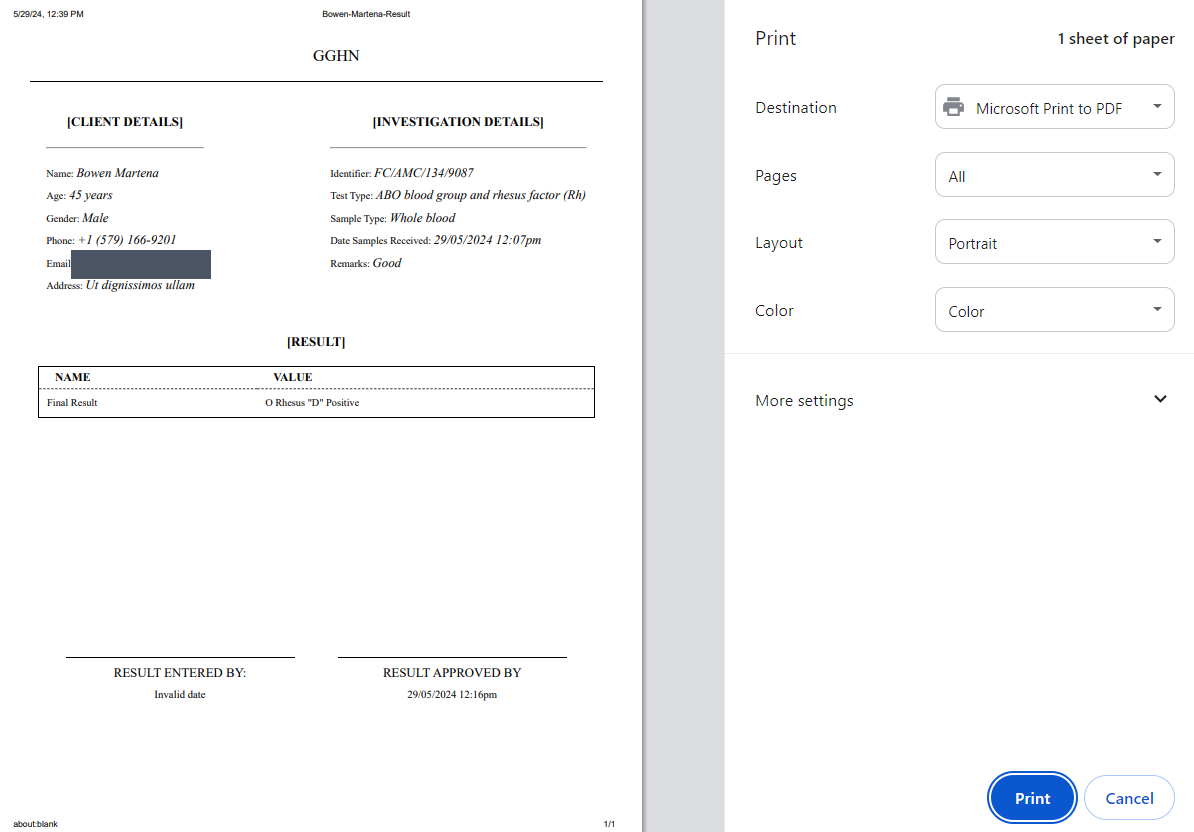 Figure 51
- Click on SAMPLE HISTORY to view all tests for the clients
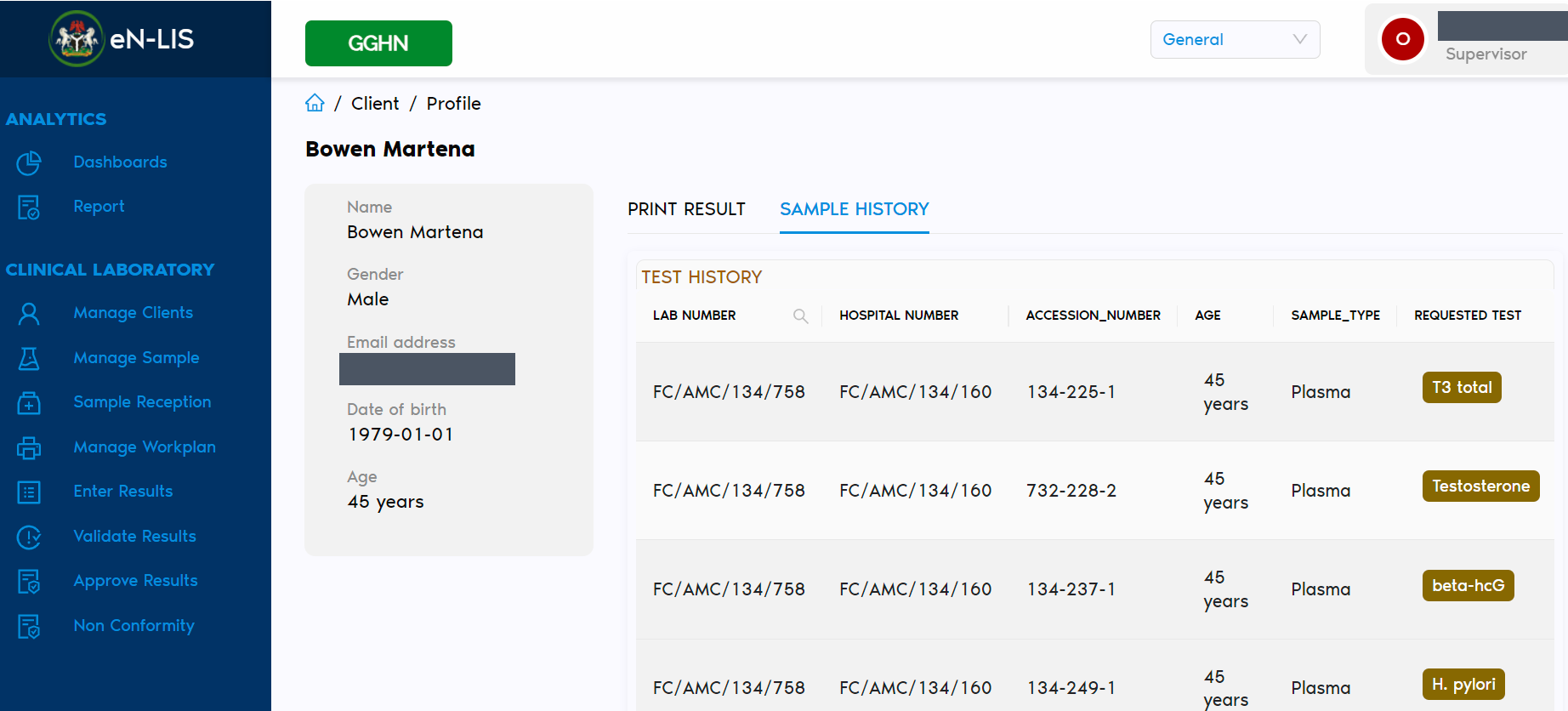 Figure 52